
Know your cost per kilometre
Calculate fuel, wages, depreciation, insurance, maintenance, tyres and other fixed and variable operating costs.
Transport intelligence for carriers
Calculate transport costs, build profitable prices and manage quotations, invoices, Fleet Management and daily transport operations in one place.
Profitability demo
Use three simple assumptions to explore trip cost, suggested selling price and profit. Margin is calculated from the selling price—not added as a markup on cost.
Illustrative demo only. Values and results shown are example data for informational purposes and are not actual customer, fleet or Effitrux account data. Actual results depend on the data and assumptions entered in Effitrux.
Operating cost per km
Stop guessing. Calculate your operating costs with Effitrux using your own company and operating data, and make more informed pricing decisions.
Every transport starts with the numbers
Effitrux connects your real operating costs with pricing, profitability and the documents you use every day.
Calculate fuel, wages, depreciation, insurance, maintenance, tyres and other fixed and variable operating costs.
Turn calculated trip cost into a selling price based on the profit margin you want to achieve.
Calculate transport costs, apply your target profit margin and generate professional quotations in just a few steps.
Keep vehicles, drivers, fuel, maintenance, compliance, work orders and travel orders structured.
Price part loads using pallets, weight, volume, loading metres and available vehicle capacity.
Manage customers, vehicles, routes, cost parameters, tariffs, KPIs, workforce, payroll and document history.
Inside Effitrux
Select a module to inspect a real Effitrux product screen.
Calculate with Effitrux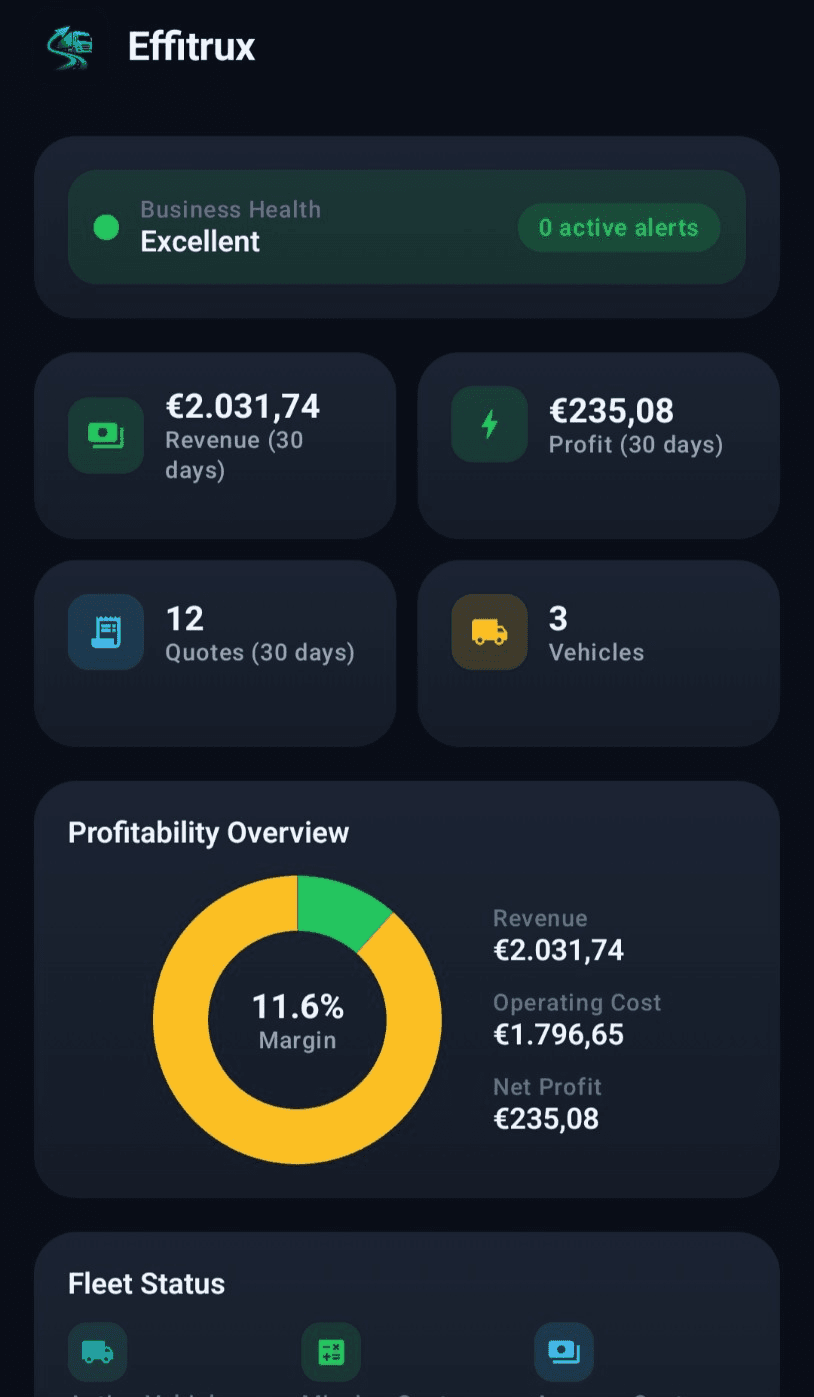
How it works
Enter company and vehicle Cost Parameters once.
Choose the customer, vehicle, route, distance and relevant trip costs.
See calculated transport cost and apply the margin you want.
Generate a quotation or invoice from the same workflow.
Fleet Management
Bring the records behind every vehicle and driver into one structured fleet view.
Android + Web
Use Effitrux on Android and the web with the same account and shared business data.
One Effitrux login for Android and web.
Use the same business data across both platforms.
Use the web when you want more screen space and Android when you are on the move.
Pricing
Create your Effitrux account and start the current 7-day trial.
Start free trialFAQ
Quick answers about Effitrux, pricing, the free trial and using your account across Android and web.
The best place to start is Cost Parameters. Effitrux calculations depend on the data you enter there. Before using Quick Quote, Payroll Calculator or Workforce Calculator, make sure your Cost Parameters are filled in correctly. Start by entering your real business costs, such as fuel consumption, fuel price, driver cost, insurance, leasing or financing, maintenance, tires, tolls and other fixed and variable costs. The more accurate your Cost Parameters are, the more accurate your calculations, quotations and reports will be. After setting up Cost Parameters, you can create vehicle templates, calculate transport prices in Quick Quote, generate PDF quotations and use other Effitrux tools with reliable data.
In most cases, incorrect calculations are caused by incomplete or inaccurate Cost Parameters. Before using Quick Quote or other calculators, verify your fuel price, fuel consumption, driver cost, insurance, leasing, maintenance, tires, tolls and other fixed and variable costs. Effitrux uses the information you provide. Keeping your Cost Parameters accurate and up to date ensures reliable transport costs, quotations and profitability calculations.
Effitrux is a professional transport cost calculation and quotation platform designed for carriers, freight forwarders and logistics companies. It helps you calculate transport costs, create quotations and manage transport-related documents in one place.
Yes. Effitrux is designed for owner-operators, small transport companies, medium fleets and larger logistics companies.
Please check your spam folder, promotions folder and whether the email address was entered correctly. You can also resend the verification email from the login screen.
Yes. Every new account receives a free trial. After the trial ends, an active subscription is required.
Quick Quote instantly calculates total transport cost, cost per kilometre, recommended selling price and expected profit.
Android app
Download Effitrux for Android today and see how it fits your transport business.
Get Effitrux for Android Scan to get Effitrux